The deadpan creator
Deliver an overly dramatic audio track with a completely calm expression until one small reaction breaks the pattern.
The contrast creates humor without needing a crowded edit.
how to lip syncComedy clip ideas
This page explains lip-sync concepts. The linked Vidione home page offers paid talking-avatar generation from a script, person portrait, and voice; enter those on Vidione after signing in. It does not promise source-video dubbing, singing videos, or reference-motion control. Browser timeline editing does not require a subscription, but AI generation does.
Funny lip sync examples work best when the audio, facial reaction, and visual edit point toward the same punchline. Use these patterns to plan a clip that feels intentional rather than merely mismatched.
Link only. Nothing written or selected here is sent to the destination.
Open Vidione
Keep exploring
Move from inspiration to execution with practical guides for planning, animating, and publishing a stronger performance.
Pick a format
The strongest funny lip sync examples are built around one clear comic mechanism, so the viewer knows what to notice before the punchline arrives.
Deliver an overly dramatic audio track with a completely calm expression until one small reaction breaks the pattern.
The contrast creates humor without needing a crowded edit.
how to lip syncAssign different voices or attitudes to one visible character, changing posture and mouth energy with each beat.
A simple setup feels like a miniature sketch with distinct personalities.
lip sync animation aiCut from a normal setup to a highly exaggerated reaction exactly when the audio changes direction.
The visual turn makes the punchline easier to read in a fast feed.
lip sync for youtubeUse a photo, portrait, or simple scene to perform an unexpected line that the original image would never say.
The mismatch between appearance and audio becomes the central joke.
lip sync photoSimple workflow
Treat the audio as a performance map, not background decoration. Each pass should make the next visual decision easier.
Start with a clear mismatch: a solemn face with a ridiculous lyric, a tiny reaction to a huge vocal, or a confident delivery of an obviously awkward line.
Identify the setup, turn, and punchline. Give the most important facial change enough screen time to register before the clip moves on.
Remove pauses that dilute the joke, then check the ending on mute. If the final expression still communicates the turn, the visual structure is doing its job.
Visual check
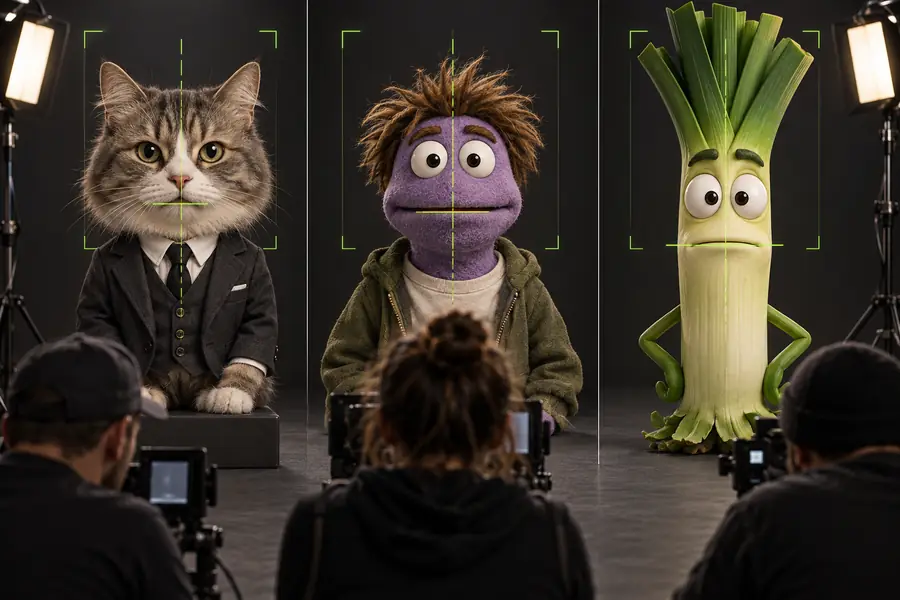
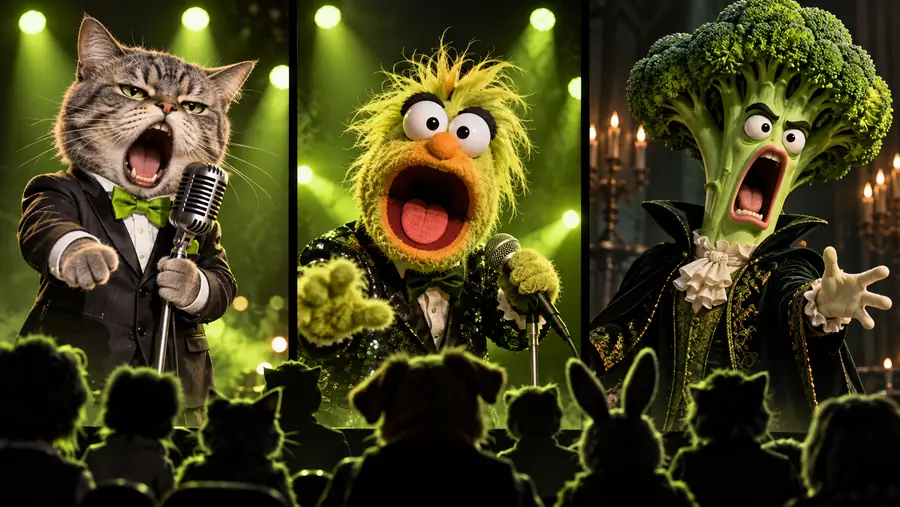
A funny concept can lose its impact when the mouth movement, expression, and cut disagree. Compare the intended setup with the finished direction before publishing.
The after version gives the viewer a readable setup, a visible turn, and a reaction that arrives with the audio.
Avoidable problems
Most revisions are not caused by a lack of creativity. They happen when the comic idea is difficult to read, arrives too late, or asks the image to do more than it can support.
Viewers may miss the humor if the key line is hard to hear or understand, especially on a busy feed.
WorkaroundChoose a more distinctive phrase or reinforce the turn with a visible reaction and concise on-screen context.
Large, sudden facial movement can feel distracting instead of funny when it is not tied to a specific beat.
WorkaroundReserve the biggest change for the punchline and keep the setup restrained.
A tightly cropped or low-detail portrait gives the scene fewer visual signals to carry the joke.
WorkaroundUse a clear front-facing image with visible eyes and mouth, then build the comedy around timing rather than complex motion.
A long outro can soften the impact after the audience has already understood the gag.
WorkaroundCut close to the reaction, or hold the final expression briefly and finish.
Review checklist
These are practical editing targets for a short comedy clip, not performance guarantees. Adjust them to the audio and the audience's ability to read the joke.
Choose the approach
Use this side-by-side check before you generate or edit. A polished funny lip sync examples workflow favors a readable joke over maximum movement.
Loose lip sync
Comedy-led lip sync
Loose lip sync
Match the mouth to the track
Comedy-led lip sync
Match the mouth and expression to a comic beat
Loose lip sync
Any recognizable sound
Comedy-led lip sync
A line with a clear setup or unexpected turn
Loose lip sync
Movement follows the audio generally
Comedy-led lip sync
Reaction changes are saved for specific words
Loose lip sync
Keep most of the generated take
Comedy-led lip sync
Trim around the setup, turn, and punchline
Loose lip sync
Performance and audio may reinforce each other
Comedy-led lip sync
Performance and audio create a deliberate mismatch
Loose lip sync
The clip is synchronized
Comedy-led lip sync
The viewer understands why the moment is funny
Loose lip sync
Casual practice or a simple performance
Comedy-led lip sync
Short sketches, reactions, and character comedy
Make the next clip
Start with one audio moment, one visual contrast, and one reaction worth remembering. Use the workflow above to turn a rough premise into a focused comedy clip.
Open VidioneScenario FAQ
Answers to common planning questions about making a lip sync clip feel funny rather than merely synchronized.
Comedy usually comes from contrast, timing, or an unexpected reaction. Pairing serious delivery with absurd visuals, or matching a tiny expression to an oversized audio moment, gives the viewer a clear reason to laugh.
Look for audio with a noticeable setup, change in attitude, or memorable final phrase. A short section is often easier to shape than a long track because the audience can follow the turn without extra explanation.
The reaction should usually begin on the important word or immediately after it, depending on the joke. Test both versions and keep the one that makes the cause-and-effect relationship easiest to read.
Yes, if the image has a clear face and the humor comes from what the person appears to say. A strong audio-image mismatch can carry the idea, although a more expressive source gives you more room for a visible punchline.